
This guide explains step by step how to place an order in our online store, choose an international shipping method and select the appropriate payment method.
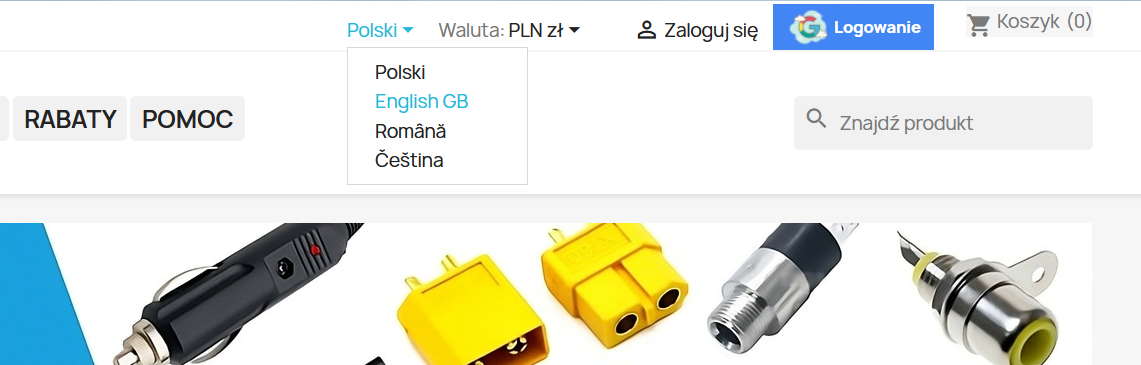
Step 1. Select the website language
At the top of the page, click the currently selected language and then choose the appropriate language version of the store.
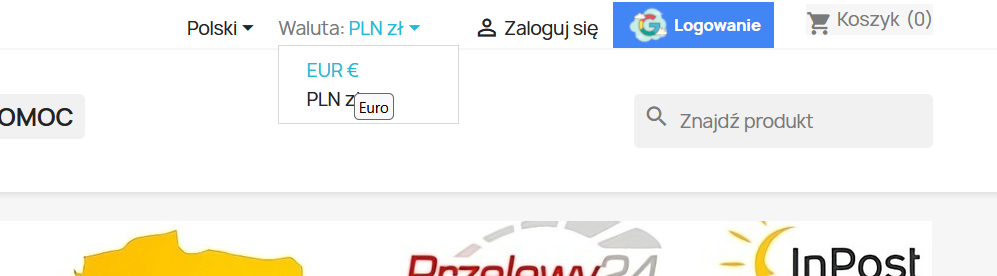
Step 2. Select the currency
At the top of the page, select EUR (€) as the currency.
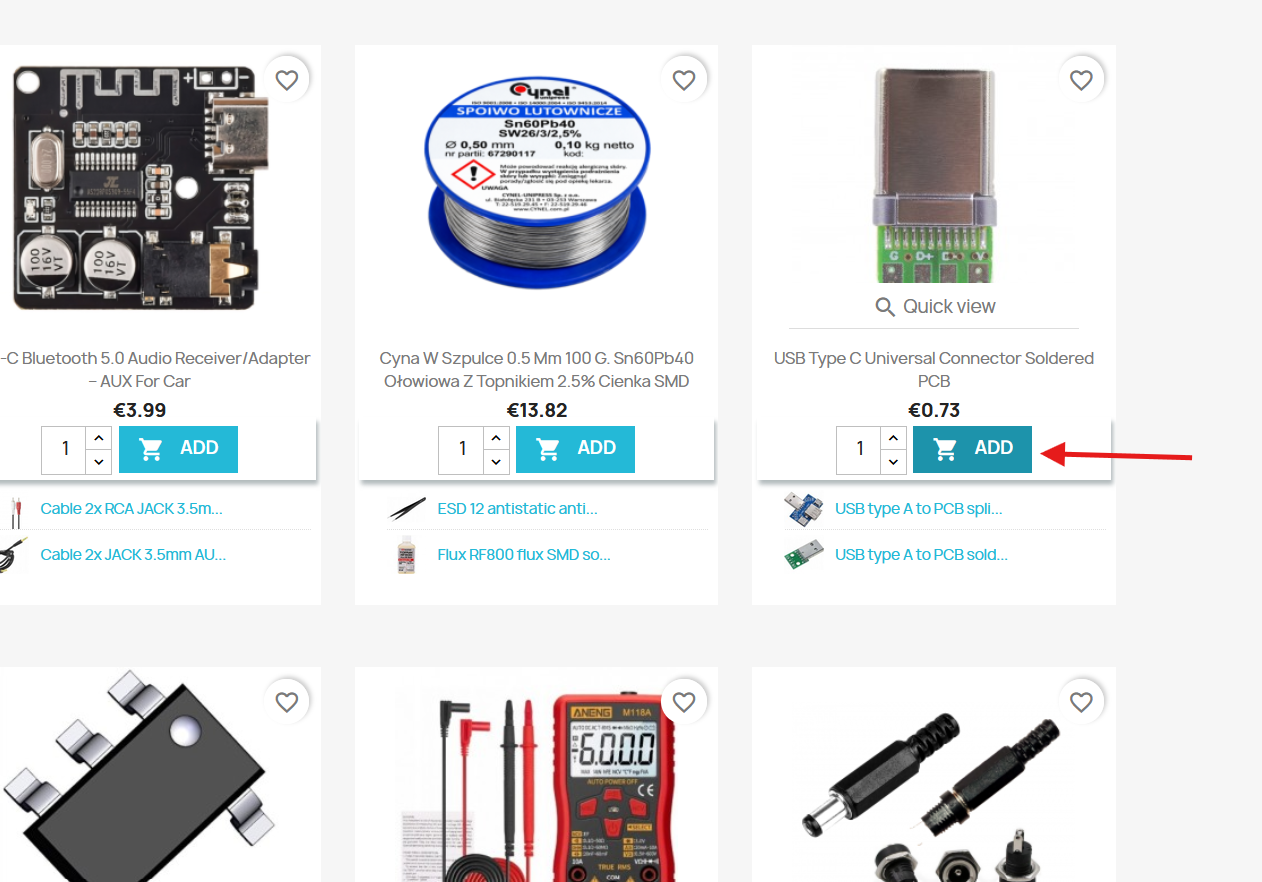
Step 3. Add a product to the basket
Choose the product you would like to order, set the required quantity and click “ADD” to add the product to your basket.
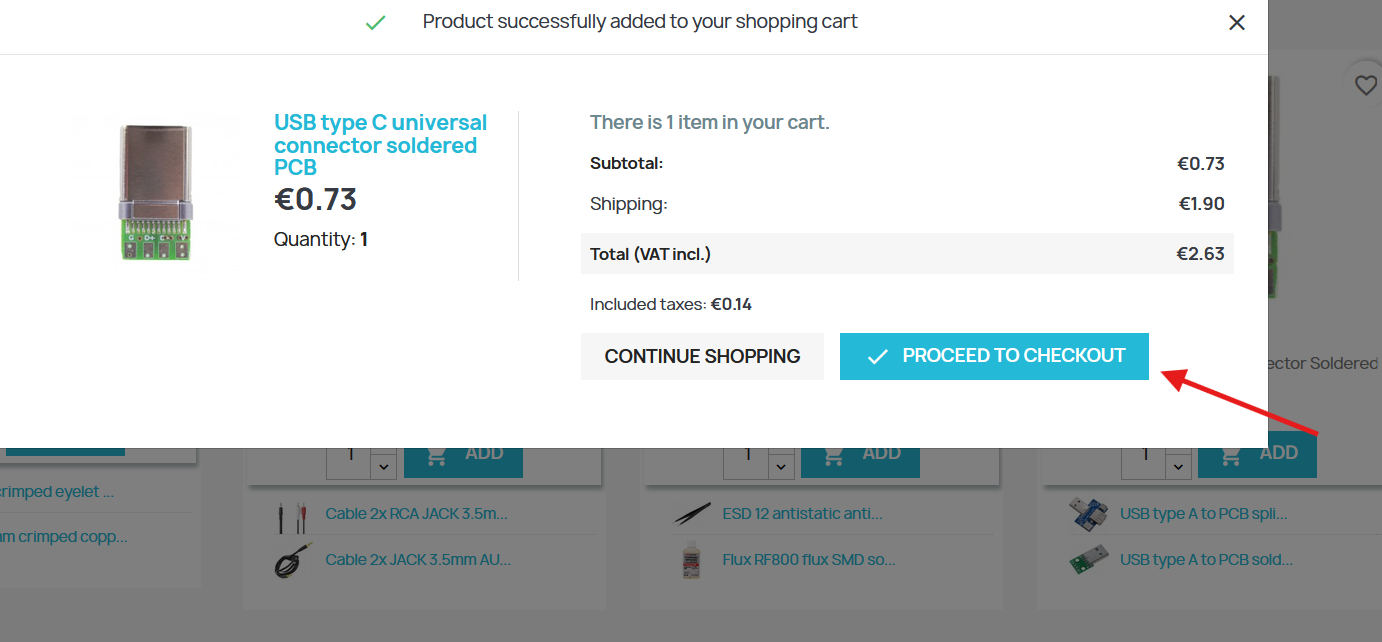
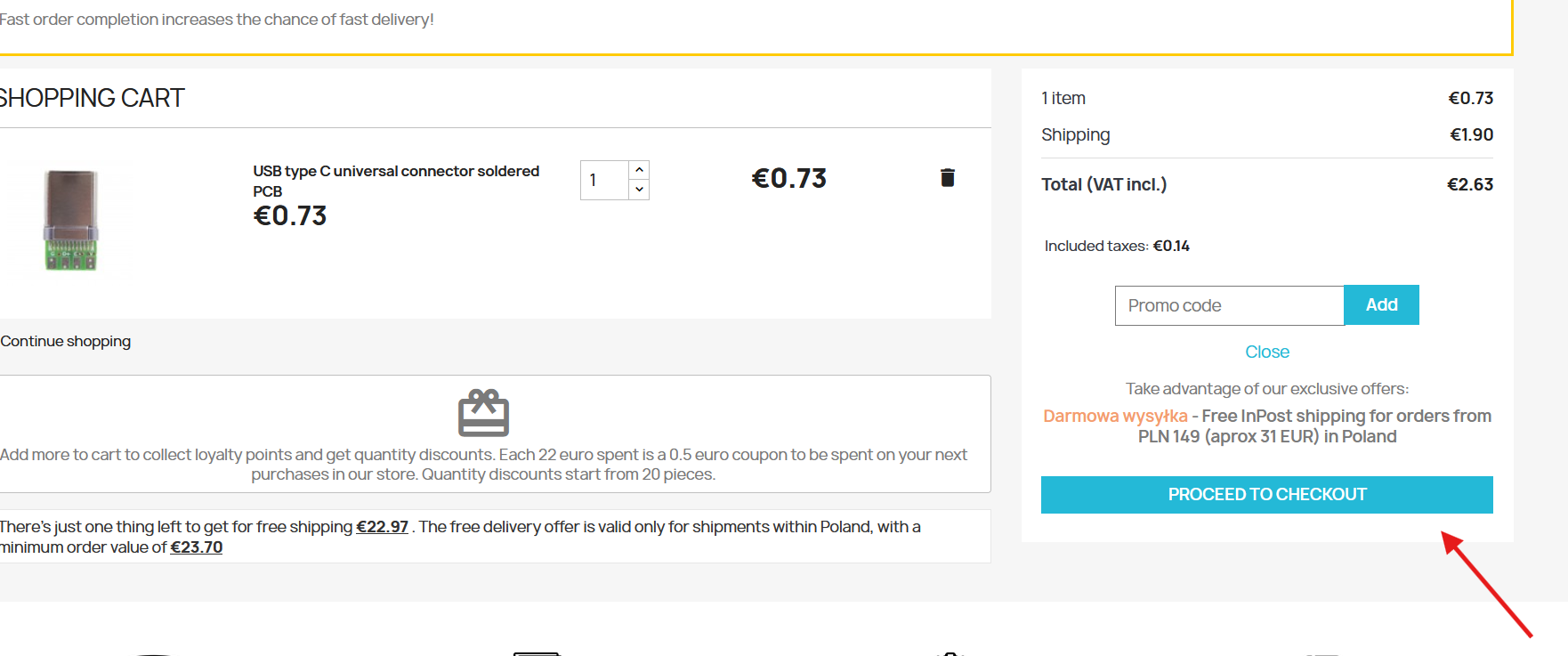
Step 4. Proceed to checkout
After adding the product to your basket, a summary window will appear. Click “PROCEED TO CHECKOUT”.
Step 5. Check your basket
Check that your basket contains all the products you want to order and that the quantities are correct.
If everything is correct, click “PROCEED TO CHECKOUT”.
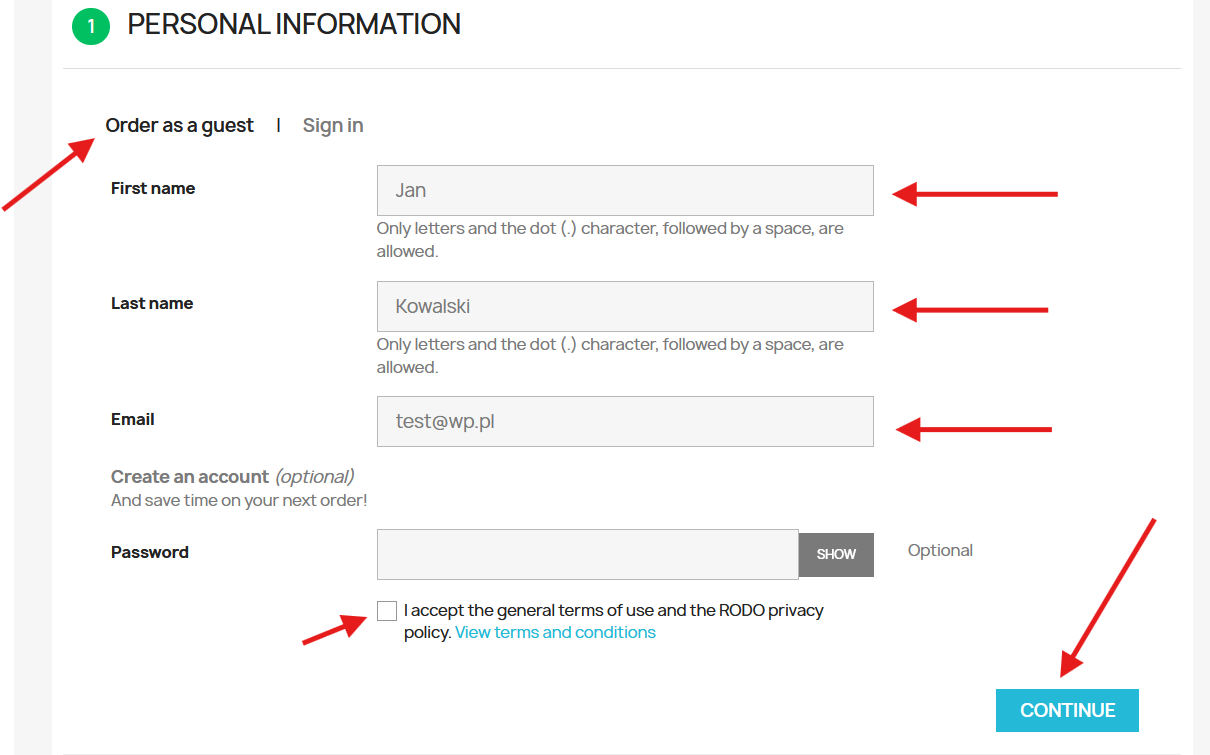
Step 6. Enter your personal details
You can place an order without creating an account. Select “Order as a guest”.
Complete the three required fields:
- First name,
- Last name,
- Email.
The Password field is optional. You can leave it blank if you do not wish to create an account.
Then click “CONTINUE”.
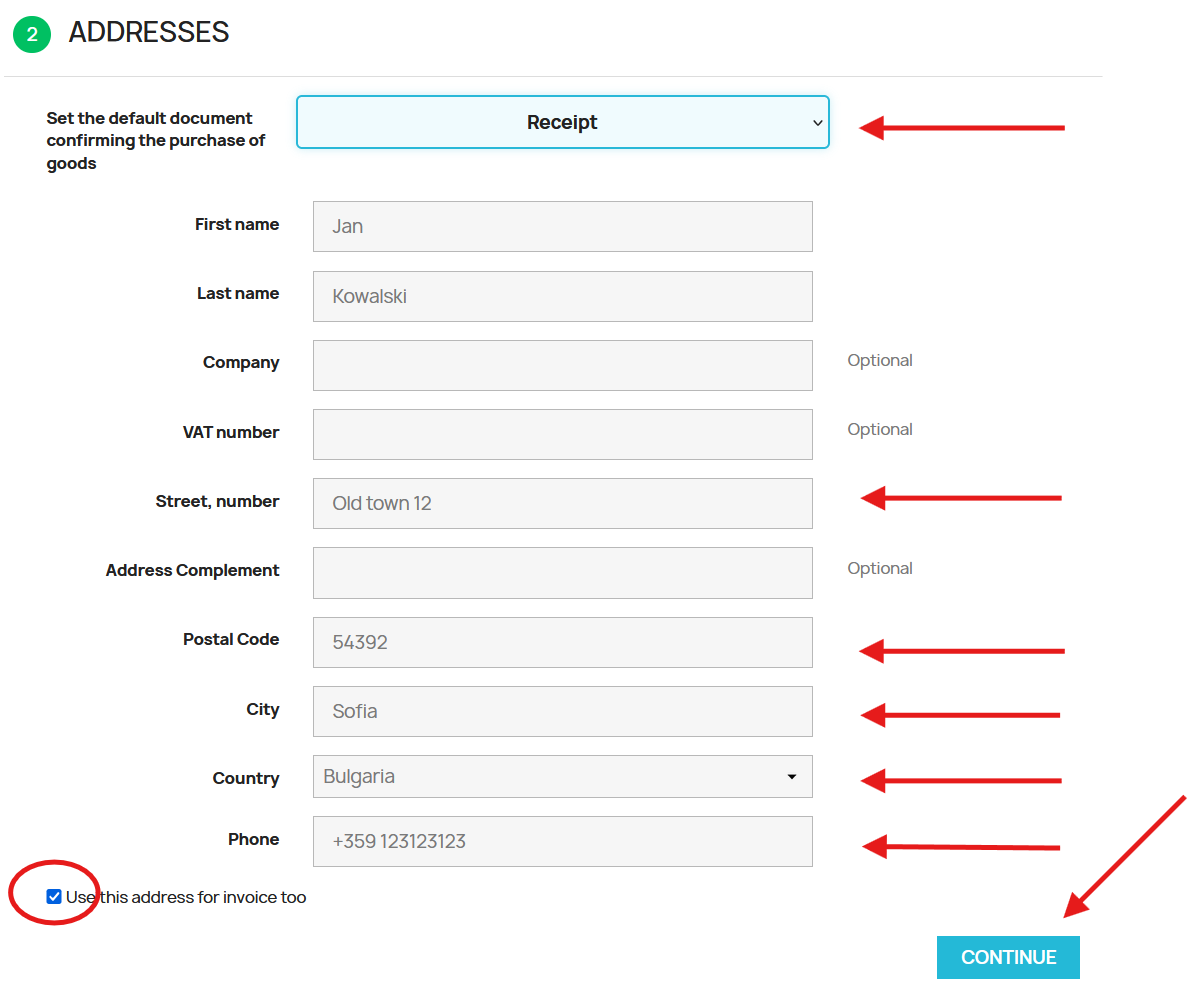
Step 7. Enter the delivery address
First, select the type of purchase document: receipt or invoice.
Then enter the details required for delivery:
- Street and house / flat number,
- Postcode,
- City,
- Country,
- Mobile phone number including the international country code.
Once the details have been completed, click “CONTINUE”.
Step 8. Select an international shipping method
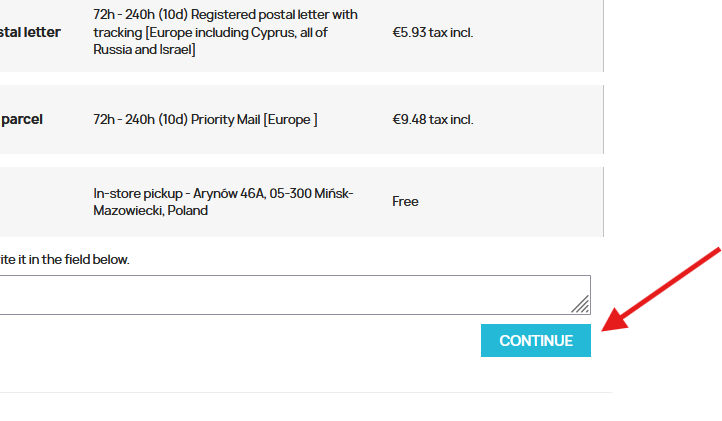
In the “SHIPPING METHOD” section, select one of the available international delivery methods.
Available shipping methods depend on the destination country, delivery address and order parameters. The shipping cost and estimated delivery time are shown next to each available option.
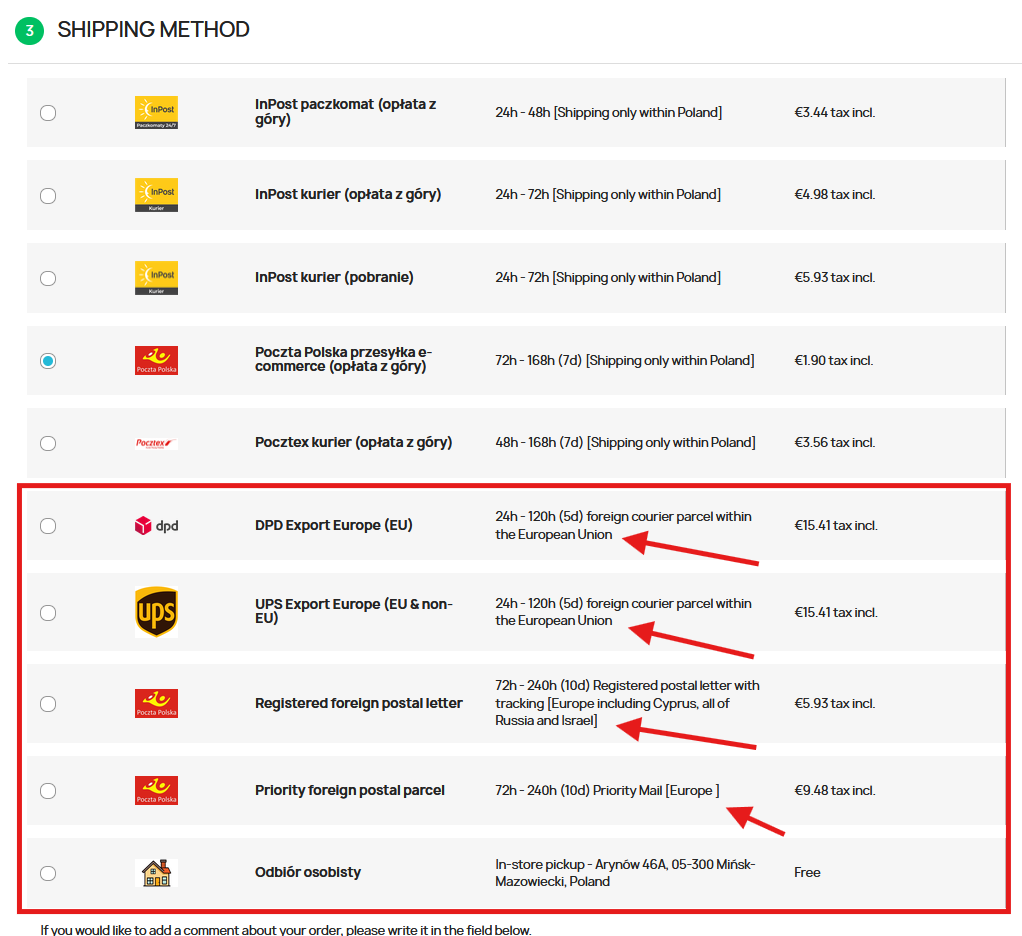
After selecting the appropriate shipping method, click “CONTINUE”.
Step 9. Select a payment method
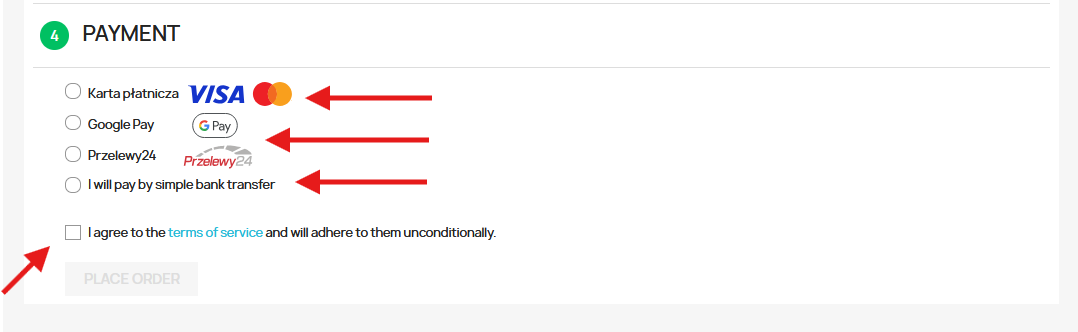
In the “PAYMENT” section, select the payment method you wish to use.
The following payment methods are available for international orders:
- Payment card – fast online payment.
- Google Pay – fast online payment.
- Bank transfer – a standard international bank transfer. This is a slower payment method because the order is processed after the payment has been credited to our bank account.
After selecting the payment method, accept the required terms and conditions and click “PLACE ORDER”.
Step 10. Paying by card
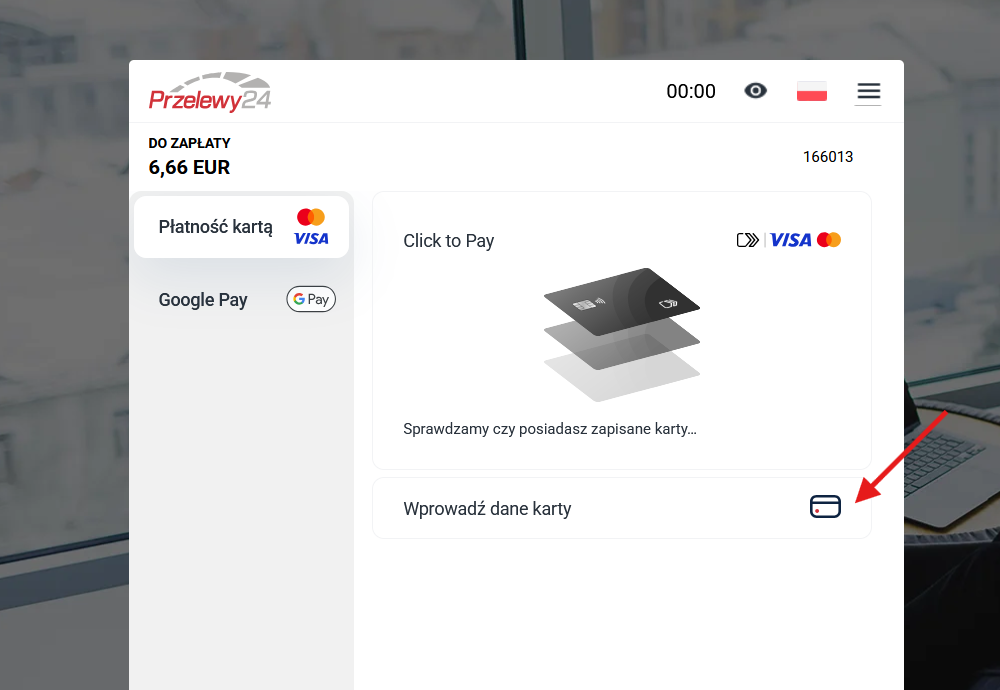
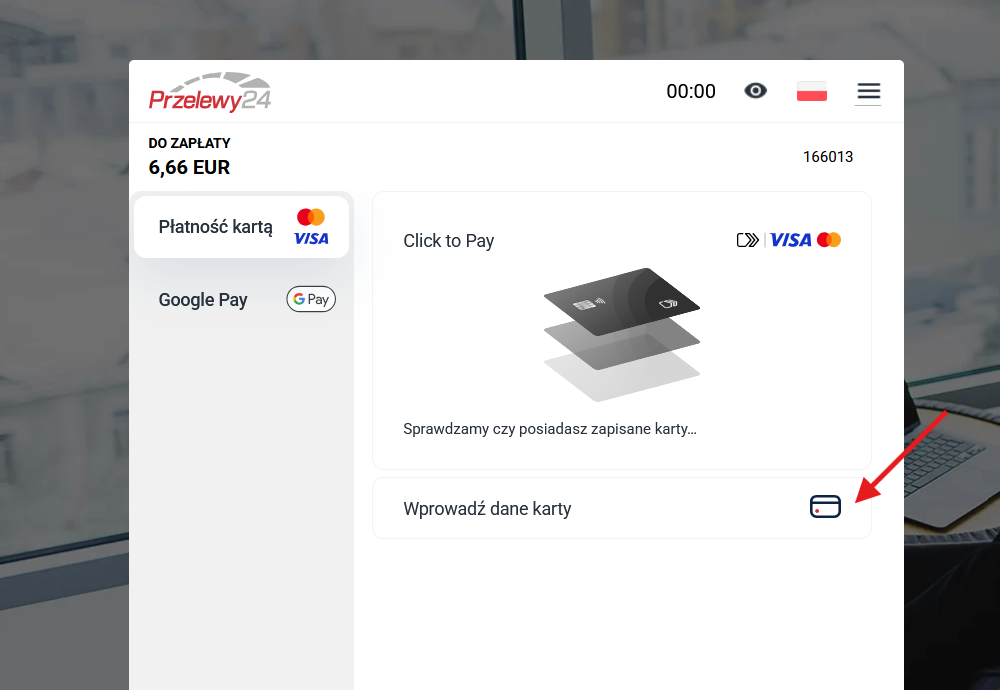
If you select card payment, you will be redirected to the secure payment system.
Select “Enter card details”.
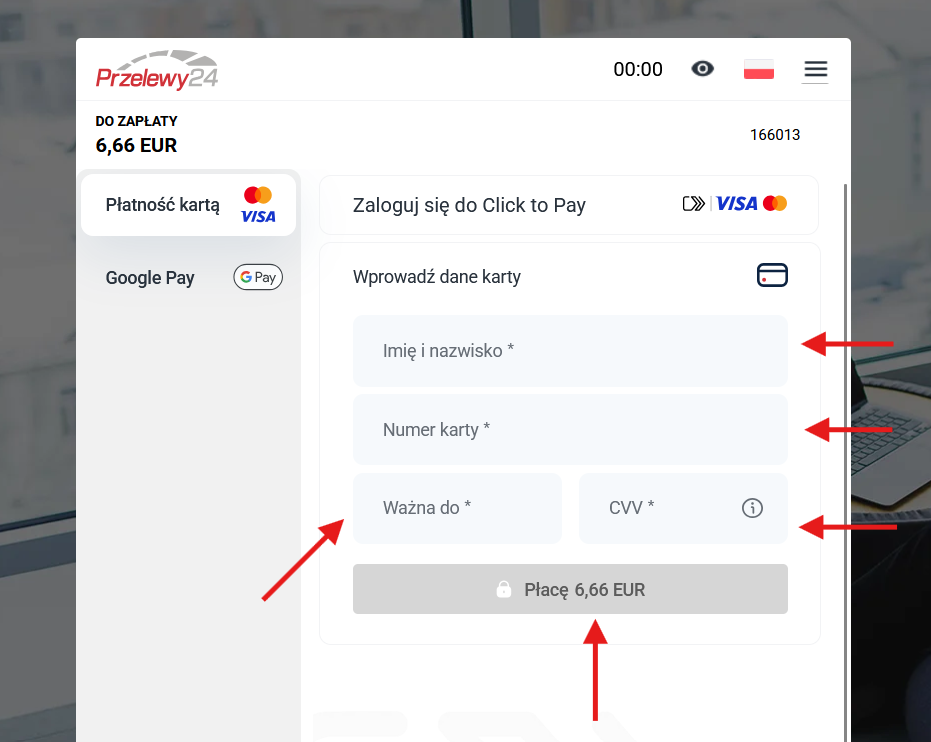
Then enter:
- Name on card,
- Card number,
- Expiry date,
- CVV/CVC code.
Where can I find the required card details?
The example below shows where the details required to make a card payment are usually located.
| NAME ON CARD JOHN SMITH |
EXPIRY DATE 12/30 |
The details shown above are examples only. The CVV/CVC code is usually located on the back of the card and normally consists of 3 digits.
After entering all required details, click the “PAY” button.
Step 11. Paying with Google Pay
If you choose Google Pay, select this payment method and follow the instructions displayed by Google Pay and your bank.
Select the appropriate card, confirm the payment and, if required by your bank, complete the additional transaction authentication.
Step 12. Standard bank transfer in EUR
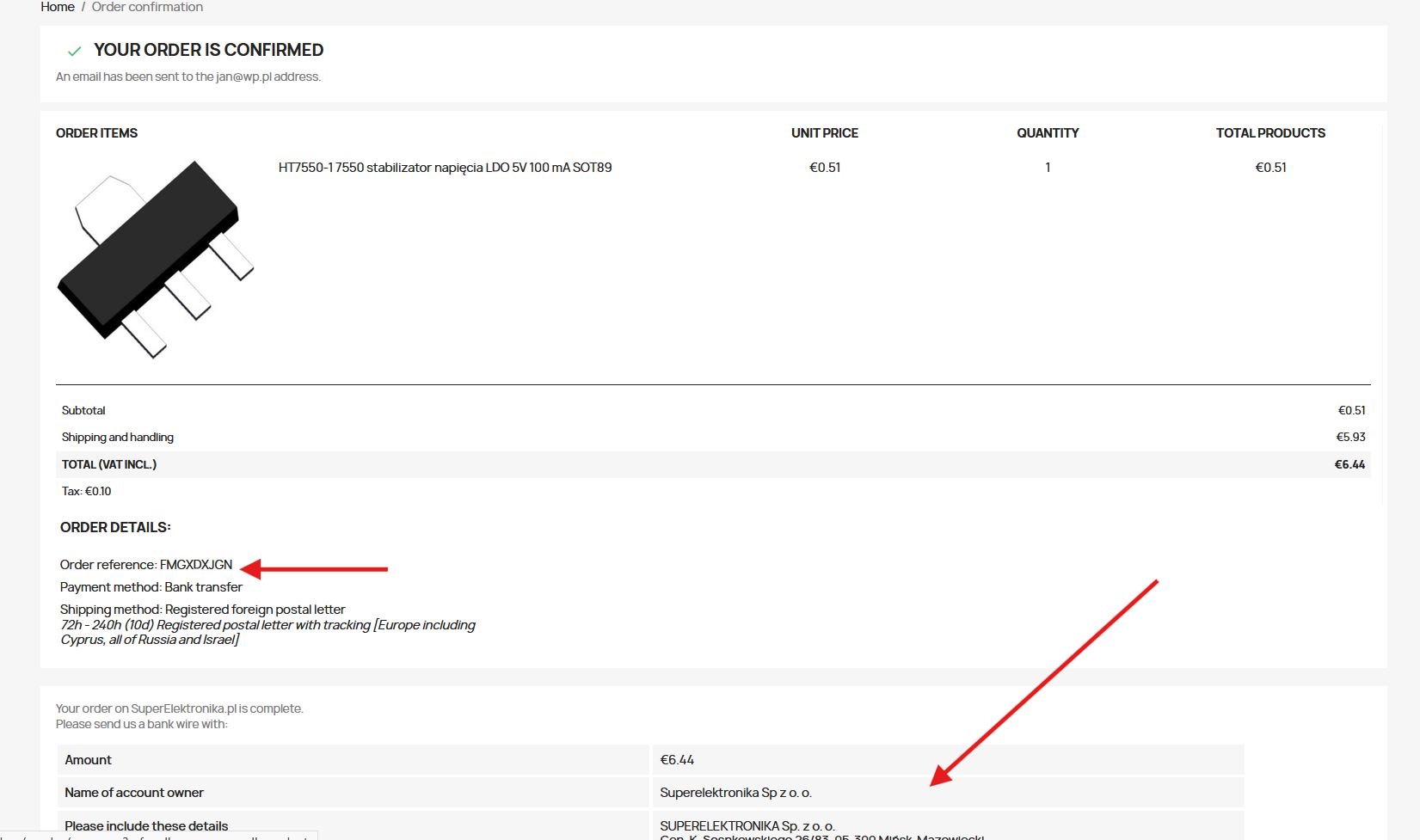
If you choose a standard bank transfer, after placing your order you will see the order confirmation and its order reference.
Enter the order reference in the payment reference / transfer title.
Bank details for EUR payments
| Beneficiary: | SUPERELEKTRONIKA Sp. z o. o. |
| Beneficiary address: | Gen. K. Sosnkowskiego 26/83 05-300 Mińsk-Mazowiecki Poland |
| Currency: | EUR |
| Account number: | 85 1140 2004 0000 3212 0761 6628 |
| IBAN: | PL85 1140 2004 0000 3212 0761 6628 |
| BIC / SWIFT: | BREXPLPWMBK |
| SORT CODE: | 11402004 |
| Beneficiary bank: | mBank S.A. Senatorska 18 00-950 Warszawa Poland |
| Payment reference: | Your order reference |
Your order has been placed
Once the order has been placed successfully, a confirmation will be sent to the email address you provided.
Once the payment has been received, your order will be processed and then dispatched using the shipping method you selected.
If you have any problems placing your order, selecting a shipping method or making a payment, please contact our store.