
Payment methods
At Superelektronika, you can pay online through Przelewy24 and Paynow or make a traditional bank transfer. Available payment methods are displayed at checkout and may depend on the selected currency and the terms of the relevant service.
BLIK payments
BLIK lets you pay conveniently using a code generated in your bank's mobile app. Select BLIK when paying, enter the code and approve the transaction in your banking app after checking the amount and the recipient.
Fast online bank transfers
A fast online transfer lets you pay for your order through online banking. After selecting your bank, follow the instructions displayed by the payment provider and your bank. Transfer details are usually filled in automatically — check that they are correct before approving the payment.
The payment provider sends payment confirmation to the shop. Transaction processing time depends on the selected payment method and the availability of the bank's and provider's services.
Payment cards and digital wallets
You can pay for your order with Visa or Mastercard if this method is available for the selected transaction. Additional verification may be required in accordance with your card issuer's rules.
Depending on the selected payment gateway and service availability, you may also use Apple Pay, Google Pay or Click to Pay. The available options are shown when you pay for your order.
Paynow: online card payment processing services are provided by Autopay S.A.
Przelewy24: the payment card operator is PayPro S.A.
Payment providers and available methods
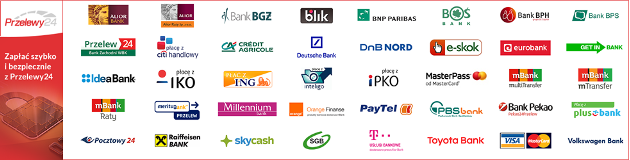
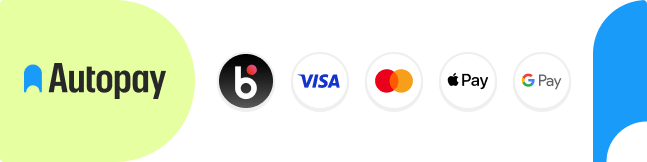
The banners below show payment methods offered by the providers. You can check whether a particular method is available for your order at checkout.

Traditional bank transfer
If you select a traditional bank transfer, make the payment to the account matching your order currency. Enter your order number in the payment reference to help us match the payment to your order.
Payment recipient
SUPERELEKTRONIKA Sp. z o. o.
Gen. K. Sosnkowskiego 26/83
05-300 Mińsk-Mazowiecki
Payments in PLN
Account number:
30 1140 2004 0000 3802 7831 0667
IBAN:
PL30 1140 2004 0000 3802 7831 0667
BIC / SWIFT: BREXPLPWMBK
Payments in EUR
Account number:
85 1140 2004 0000 3212 0761 6628
IBAN:
PL85 1140 2004 0000 3212 0761 6628
BIC / SWIFT: BREXPLPWMBK
Recipient bank details
mBank S.A.
ul. Prosta 18
00-850 Warszawa, Poland
Polish bank clearing number: 11402004
Split payment — Polish split payment mechanism
To pay an invoice using the Polish split payment mechanism (MPP), select the appropriate transfer type in your business banking service and enter the seller's settlement account shown on the invoice.
Complete the required fields in the transfer form, including the gross amount, VAT amount, invoice number and the seller's Polish tax identification number (NIP).
Do not enter the VAT account as the recipient's account. The bank automatically splits the payment and transfers the appropriate amount to the linked VAT account.
Payment security
Online payments are processed by payment providers. When authorising a payment, follow the instructions displayed by the provider and your bank.
PCI DSS standard
PCI DSS (Payment Card Industry Data Security Standard) is a standard for protecting payment card data. Przelewy24 states its compliance with this standard on its security page.
Find out more about Przelewy24 payment security
What should you check when paying?
- Check the amount and recipient details before approving the transaction.
- Check the website address before entering your details or confirming a payment.
- Do not share banking passwords, BLIK codes or authorisation codes with other people.
- If you have any doubts about a payment, contact the shop or your bank.
Have a question about a payment?
Email: sklep@superelektronika.pl
Phone: 517 391 165